Template Refresh for 2015 and Beyond

Over the weekend I changed the theme of my website once again. This theme is the third iteration since 2011. I decided to go to with a theme created by Automattic, the people who create WordPress.
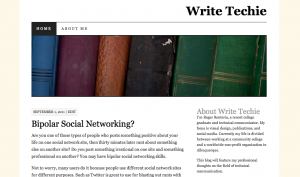
WriteTechie - Light Theme Color

Write Techie – September 2011

Why was it time to change? I wanted to start with a clean slate. As a web developer, I experimented with minor improvements to an old theme for better functionality. At some point those changes got in the way and caused more harm than good.

I decided that trashing an old design I’ve customized for years and start something new was a better solution. In this case, it’s not as new as you might think. I chose a familiar WordPress theme that I’ve used on another website for a few years.
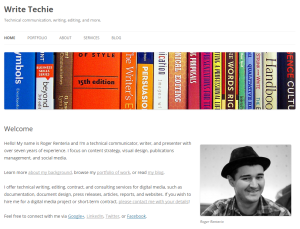
Write Techie - September 2015

Write Techie – September 2015

I also want to emphasize the current trends of web design and writing in this version of my template refresh.

Fonts

Despite higher screen resolutions on mobile devices, sans-serif fonts are still better to read than serifs. They’re still great to use, but serifs are better for printed material. I chose to cut the serif fonts in favor of sans-serif for the reason that it is easier to read on screens.

Responsive Design

There is nothing new here except to make sure that any website is responsive to an unlimited number of screen sizes and resolutions. There is no excuse for websites to show up incorrectly on an iPhone, a 32-inch monitor, or a display on Times Square.

Simplicity

Web writing is a completely different world than other types of writing. Keeping it simple will give users the right information the first time and show them how to do the tasks they came for.

Content

As with any template refresh, so comes the content. The more concise, the better.

Drawing

Communicating Our Differences

Argh!!!!

Ever wonder why sometimes the other person on the other end of an email, phone, or conference room doesn’t understand what you say? Try this activity out and reflect on your experience!

One of the neatest exercises I’ve done was write a procedure for drawing one of the world’s famous cats, Garfield. (Yes, I am aware that Hello Kitty is another famous cat). We were given a picture of the feline and told to write instructions for about ten minutes. Then we passed that sheet to our neighbor and asked them to draw Garfield based on those instructions–literally.

Reading someone else’s instructions is an interpretation of what they see that you should understand and perform. Sometimes those instructions are vague and not clear. Whatever the case, the task was to draw the cat the way you read their instructions.

Smug Looking

My drawing was ugly, but smug. I took the instructions literally and came up with what I thought Garfield was supposed to look like.

Drawing

Drawing

The purpose of the exercise was to understand that we need to communicate in a clear and concise way that can lead others to understand us. Also this exercise gave us the opportunity to see how other people interpret our instructions. We can see difficulty communicating our thoughts easily and how those thoughts can be hard for someone else to understand.

Mind blowing? Yes! Not everyone understands the way you think and you can’t assume they can figure out what you say.

Thoughts to Consider

Think about it the next time that you communicate, are you:

  • communicating clearly?
  • writing concisely?
  • understanding where others stand?
  • making sense?
Portland Landmark Sign

Guide to Attending LavaCon 2014

Hi everyone–I wanted to drop a note before I head to Portland, Oregon to say that I’ll be at LavaCon 2014! If you have any questions, feel free to ask me! If you are missing LavaCon this year, you can register for the online track that you can attend from home or work.

If you need me to help troubleshoot technology issues (WiFi, laptops, tablets, smart phones) or general directions around Downtown Portland, find me on Twitter at @RogerRenteria or call/text me at 505-750-1057.

Look forward to seeing you soon! Below is my quick guide to attending LavaCon!

Portland Landmark Sign

Portland Landmark Sign

Before we begin next week, I’ve reworked my conference guides from past years for this one. The following guide will help you navigate LavaCon as well as get yourself up to speed with general conference tips.

Technology

Sessions

  • Spend about 20 minutes planning which sessions you want to attend. Read the Conference Program provided to you in your conference bag. Also, use the Lanyrd Conference Website to help you decide!
  • Select primary and secondary sessions for each hour, some session material may be available for preview on SlideShare.
  • Determine within the first 5 minutes if a session excites you; if not, go to your secondary session (it’s not rude–you are attending a conference for professional development!)
  • Ask questions at the end of the session.
    • Be persistent! As a presenter, I love when people ask me questions. So, do it!
  • Complete post-session speaker evaluation(s).
  • Look for presentation slides after the sessions from presenters on SlideShare.

Networking

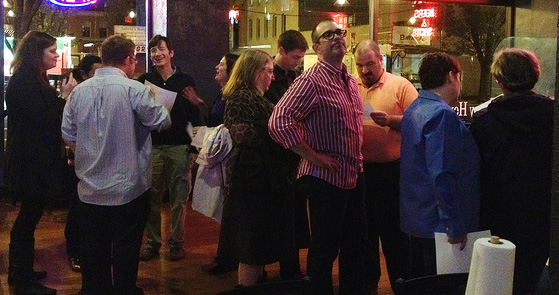
Socializing and Networking

Socializing and Networking

  • Spend about $30 for business cards from VistaPrint if you have none. Remember to pack them.
  • Hand out business cards to anyone you meet.
  • Write a note on the back of each person’s business card to remind you how you met them.

Break Times

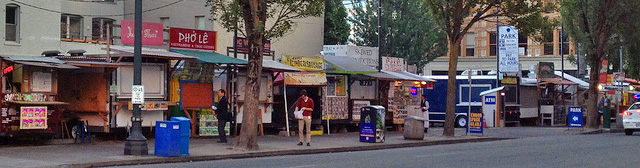
Portland Food Carts

Portland Food Carts

  • Offer and/or accept invitations to dine with attendees. We don’t bite.
  • Visit the vendors and check out the bookstore.
  • Attend evening events with attendees.
    • Tweet Up
    • Karaoke
    • Culinary Tour
    • Food Cart and Microbrewery Pub Tour
  • Share your professional experiences.

After the Conference

  • Continue networking via Twitter, LinkedIn, and e-mail.
  • Plan for next year, and convince your company to pay for it!
  • Look for a for Call for Speakers via e-mail; maybe you can present next year.
  • Keep up with current trends—check TechWhirl for LavaCon coverage.

It’s your conference experience and make the most of it! Also, find me during the conference!